Neoship features
A pickup point map in your e-shop: an easier delivery choice for customers and e-shops
2 July 2026
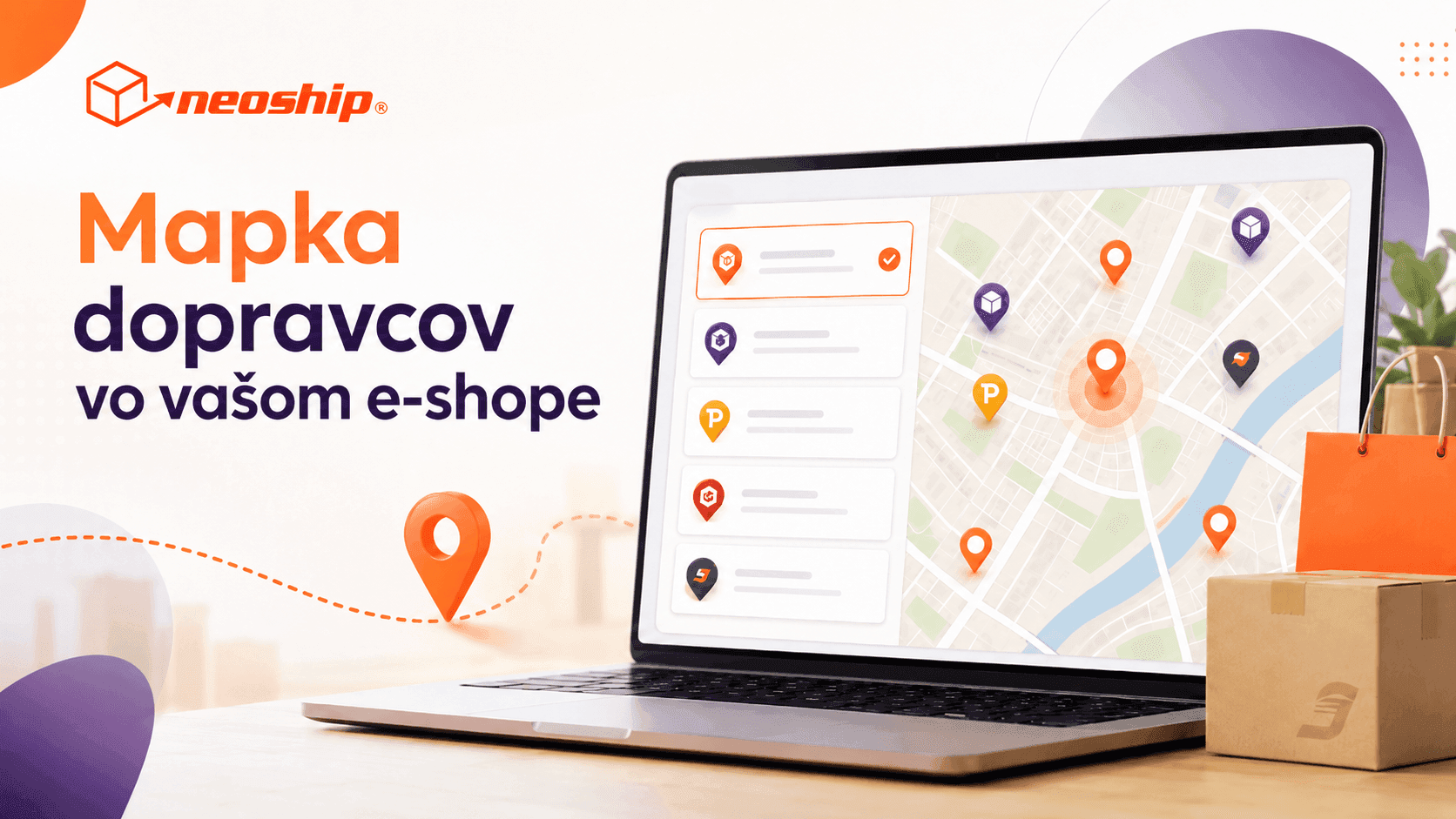
Choosing a parcel locker or pickup point straight in the cart. The single Neoship map shows the pickup points of several carriers in one place and simplifies delivery for customers and e-shops alike.
Delivery to parcel lockers and pickup points is one of the most popular shipping options today. Customers appreciate the flexibility above all – they do not have to wait at home for a courier, they collect the parcel whenever it suits them and they can often choose a place close to work, home or somewhere along their usual route.
That is exactly why choosing a pickup point in an e-shop should be as simple as possible. If a customer cannot quickly find a suitable locker or parcel shop while ordering, the purchase drags on and gets needlessly complicated. That is why Neoship brings a solution that makes this step considerably easier – one single map of pickup points and lockers for several carriers, right inside your e-shop.
What is the Neoship pickup point map?
The pickup point map is a practical interface that can be embedded directly into an e-shop. While placing an order, the customer simply picks the locker or pickup point they want the parcel delivered to.
Instead of having to look up the address of a pickup point outside the e-shop, copy it into a note or sort the delivery out afterwards, they handle everything right in the ordering process.
The map shows pickup points and lockers for several carriers in one place. The customer sees the available shipping options clearly and can choose whichever suits them best.
One map, several carriers
The great advantage of the Neoship solution is that the e-shop does not have to deal with separate maps or a different way of selecting a place for every carrier.
The map supports choosing pickup points and lockers for carriers such as GLS, SPS, Packeta, DPD, Slovak Post and SDS.
For the customer that means a more convenient choice. For the e-shop a simpler technical solution and one consistent way of working with pickup points.
Why does the choice of a pickup point matter?
Checkout is where the order is won or lost. The customer has already chosen the goods, gone through the cart and only the last step is left – shipping and payment.
If the shipping options are confusing or complicated, that alone can be the reason the order is never completed. With delivery to lockers and pickup points in particular, the customer needs to understand quickly what to do and where the parcel can be collected.
The map makes this process easier. The customer does not have to remember the name of a pickup point, does not retype the address and does not have to leave for the carrier's website. All they have to do is pick a place directly on the map.
What does the map bring the customer?
For the customer the biggest benefit is convenience. Choosing the delivery is fast, visual and intuitive.
Customers can easily:
- find the nearest pickup point or locker,
- choose a place by address or by location,
- compare the available delivery options,
- pick a parcel shop close to home, work or a route they travel regularly,
- complete the order without interrupting the shopping process.
That makes the whole purchase smoother and more pleasant.
What does the map bring the e-shop?
For an e-shop the map pays off not only in terms of customer experience, but also in everyday operations and order processing.
When a customer picks a pickup point directly in the e-shop, the information is saved with the order. The e-shop then works with the customer's exact choice, which reduces the risk of mistakes, unclear notes or an incorrectly entered address.
The map helps e-shops above all by:
- simplifying the delivery choice at checkout,
- reducing the risk of errors when selecting a pickup point,
- improving the customer experience,
- supporting order completion,
- reducing the need for individual tweaks for different carriers,
- saving the time and cost of building your own solution.
Easy implementation without developing your own map
Neoship provides a ready-made solution that can be added straight into the e-shop's ordering process. The map can appear, for example, in the shipping selection step, after clicking a „Choose a pickup point“ button or in a separate window while the order is being completed.
The e-shop therefore does not have to develop its own map, maintain lists of pickup points on its own or handle a different integration for every carrier.
Neoship supplies a finished foundation that makes deploying this feature in an e-shop considerably easier. The result is faster implementation and simpler management of delivery to lockers and pickup points.
A more modern checkout, a better customer experience
Customers are used to convenient and fast online shopping today. They expect to choose the delivery method easily and without unnecessary steps. A pickup point map is therefore not just a technical feature, but an important part of the customer experience.
An e-shop that lets customers choose a pickup point directly in their order looks more professional and more modern. At the same time it removes needless obstacles at one of the most important moments of the purchase.
Who is the map for?
The Neoship map is a good fit for e-shops that offer delivery to lockers, parcel shops or pickup points and want to make choosing the shipping method easier for their customers.
It will be appreciated above all by e-shops that:
- use several carriers,
- want to unify the selection of pickup points,
- do not want to develop their own map solution,
- need to speed up and simplify checkout,
- want to improve the customer experience,
- want to reduce the number of delivery errors.
Take the delivery choice to the next level
Delivery to lockers and pickup points will remain an important part of e-commerce. Customers want flexibility and e-shops need a solution that is simple, reliable and practical.
The single Neoship pickup point map helps you offer customers a more convenient delivery choice, simplify implementation and improve the whole ordering process.
If you would like to add the map to your e-shop as well, get in touch. We will be happy to help you set it up and prepare the materials for your developer.