
COD reconciliation
Reconciling COD payments with invoices in MoneyS3
Thanks to the SEPA XML file, e-shops issuing invoices in MoneyS3 can match their COD payments with invoices in bulk as well. Our manual shows you how.
Exporting the COD files in Neoship
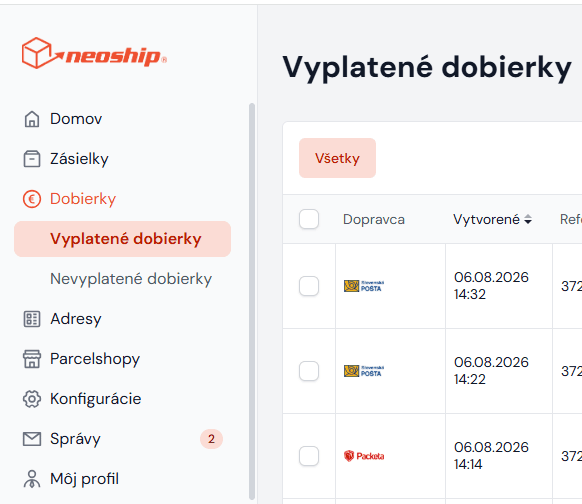
In Neoship, choose Zoznam vyplatených dobierok (the list of paid-out COD payments) in the left-hand menu:
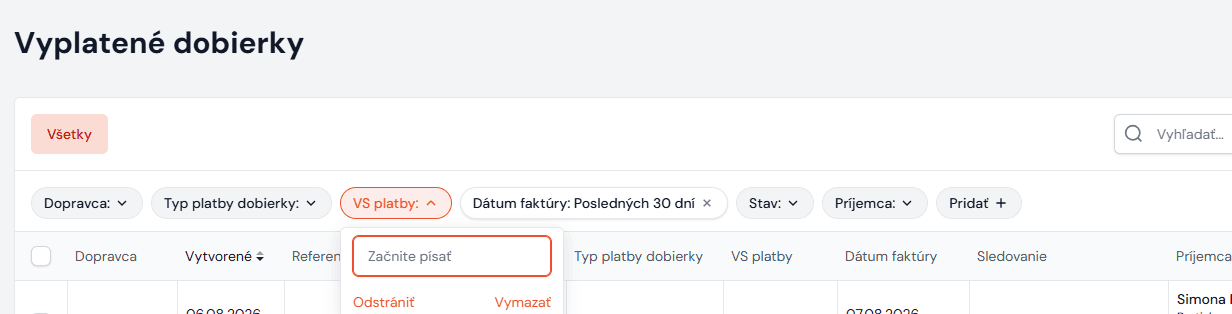
Then enter into the VS platby field (= the variable symbol under which the COD payments were paid into your account) the VS you can see on your bank statement. You can also choose the payment date. Another very easy way of finding the COD payments is the platba na účte filter. The list then shows all the paid-out COD payments under the given variable symbol, i.e. in the bulk payment:
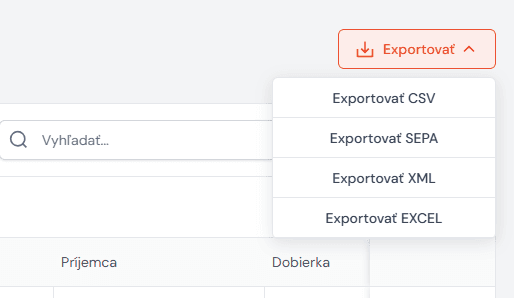
Then choose the Exportovať SEPA option under EXPORT:
Importing the SEPA XML file into MoneyS3 and matching the COD payments
You will find the full description of how to import a SEPA XML file into the MoneyS3 accounting program and match the COD payments with invoices on the MoneyS3 website: https://www.money.sk/navod/import-vypisov-a-export-platobnych-prikazov/