COD reconciliation
Reconciling COD payments with invoices in Omega
Neoship customers also have a list of paid-out COD payments available in the shipping system. For the purpose of matching COD payments with invoices, this data can be exported in various formats. In the OMEGA invoicing system, COD payments can be matched with invoices in bulk using SEPA XML.
Exporting the COD files in Neoship
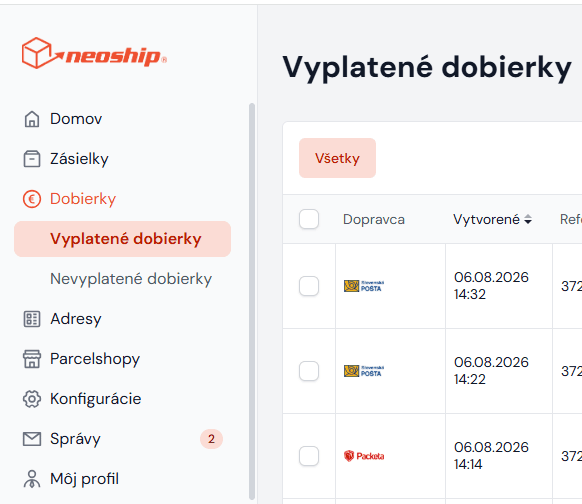
In Neoship, choose Zoznam vyplatených dobierok (the list of paid-out COD payments) in the left-hand menu:
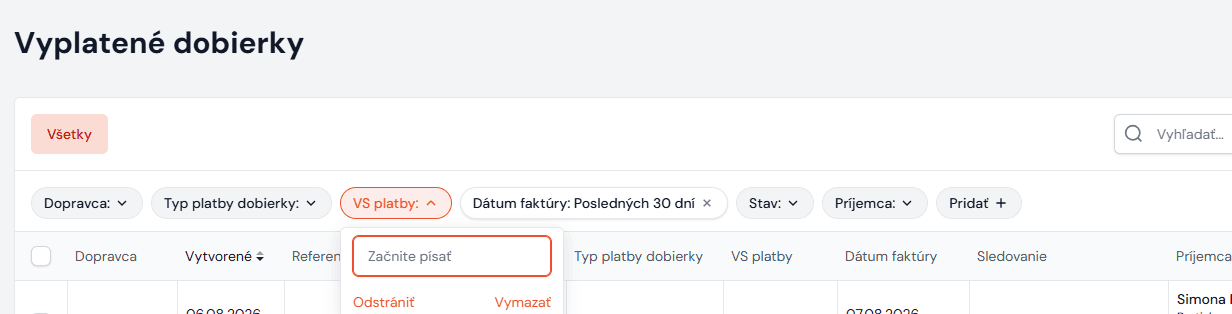
Then enter into the VS platby field (= the variable symbol under which the COD payments were paid into your account) the VS you can see on the statement. Another very easy way of finding the COD payments is the platba na účte filter. The list then shows all the paid-out COD payments under the given variable symbol, i.e. in the bulk payment:
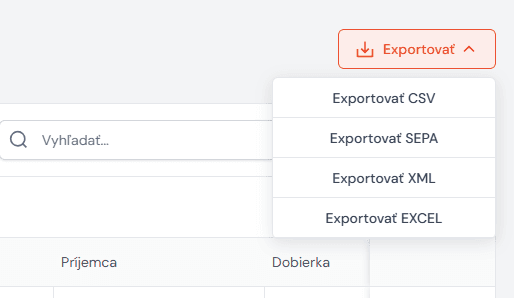
Then choose the Exportovať SEPA option under EXPORT — it will let you match the payments with the invoices in OMEGA automatically:
Importing SEPA XML in Omega and matching the COD payments
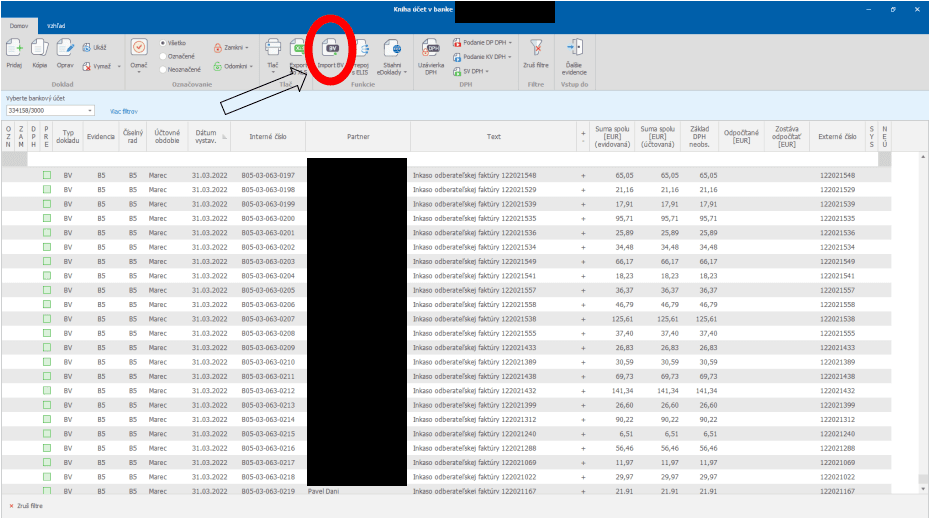
You import the SEPA XML file in the records into kniha účet v banke through import BV:
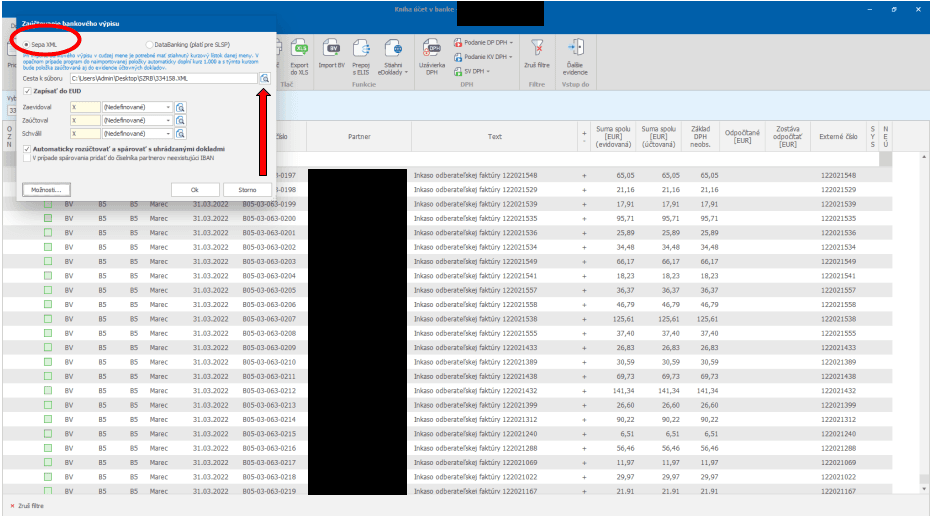
From the options choose SEPA XML and upload the file you downloaded from Neoship:
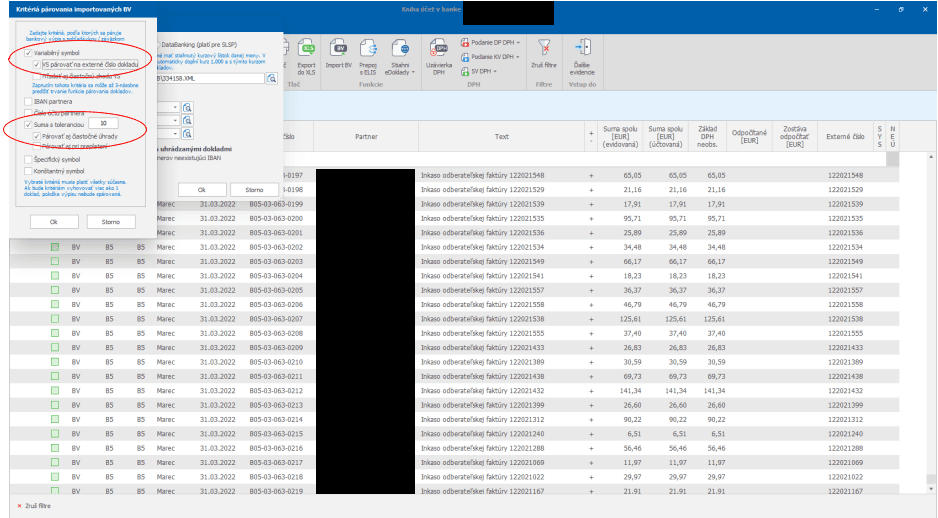
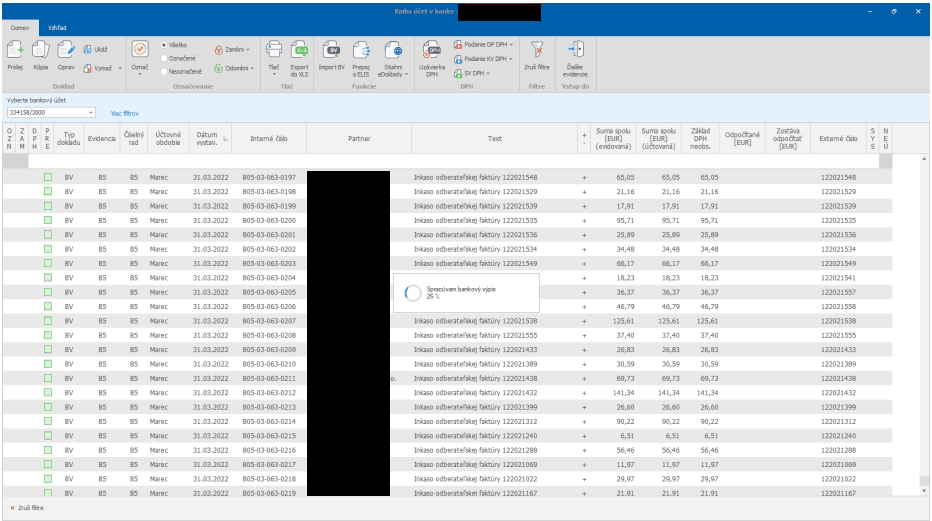
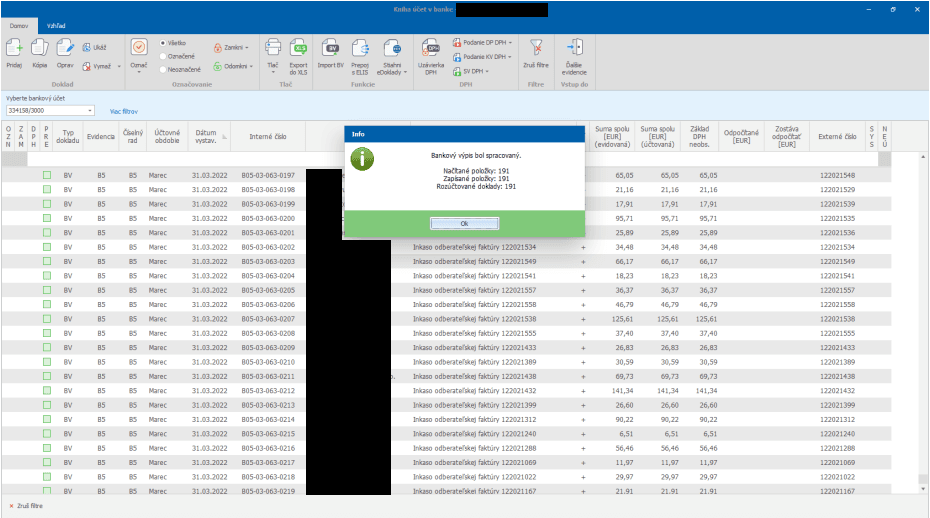
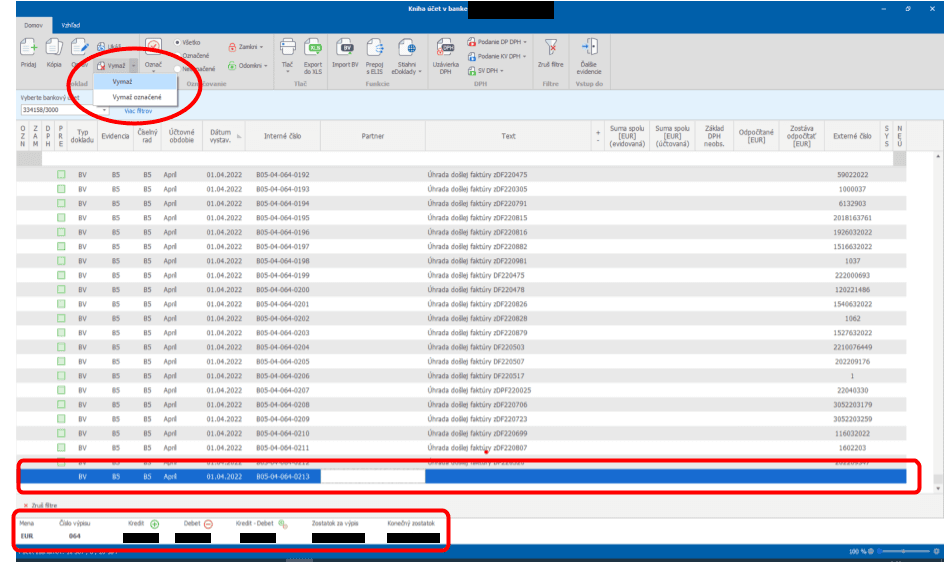
Finally, one crucial thing remains to be done: the imported SEPA XML file also contains the bulk payment itself, which needs to be deleted. Once it is deleted, all that is left is to check the turnover and the balance of the bank statement:
This is how you can very easily match COD payments (even though they arrived in your account as a bulk payment) with your issued invoices.